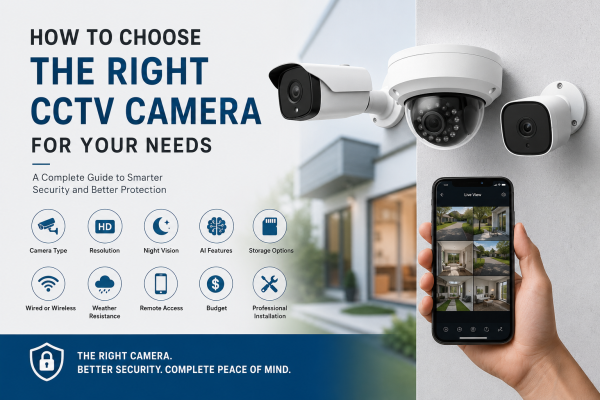
Installing a CCTV camera is one of the smartest investments you can make to protect your home, office, shop, warehouse, or commercial property. However, with so many options available in the market, choosing the right CCTV camera can be confusing.
Should you choose a wired or wireless camera? Is a dome camera better than a bullet camera? Do you need 2MP, 5MP, or 4K resolution? What about AI motion detection, cloud storage, and night vision?
The answers depend on your security requirements, property size, and budget.
In this guide, we'll help you understand the important factors to consider before buying a CCTV camera so you can make an informed decision.
Why Choosing the Right CCTV Camera Matters
A CCTV system is only effective if it suits your property's layout and security needs.
The wrong camera can lead to:
-
Blind spots
-
Poor image quality
-
Limited night visibility
-
Frequent false alarms
-
Wasted storage space
-
Higher maintenance costs
Selecting the right camera ensures better coverage, improved security, and long-term value.
Step 1: Identify Your Security Needs
Before purchasing a CCTV camera, ask yourself:
-
Are you securing a home or a business?
-
Do you need indoor or outdoor surveillance?
-
What areas do you want to monitor?
-
Do you need remote access on your phone?
-
Is night vision important?
-
Do you need an audio recording?
-
Are you monitoring valuable assets?
Your answers will determine the type of CCTV system you need.
Step 2: Choose the Right Type of CCTV Camera
Different cameras are designed for different purposes.
Dome Cameras
Best for:
-
Homes
-
Offices
-
Retail stores
-
Restaurants
Advantages:
-
Wide viewing angle
-
Compact design
-
Difficult to identify the viewing direction
-
Ideal for indoor use
Bullet Cameras
Best for:
-
Outdoor security
-
Parking areas
-
Building entrances
-
Warehouses
Advantages:
-
Long viewing distance
-
Weather-resistant
-
Easy installation
PTZ Cameras (Pan-Tilt-Zoom)
Best for:
-
Large commercial spaces
-
Factories
-
Stadiums
-
Shopping malls
Advantages:
-
Remote control
-
Zoom capability
-
Wide-area coverage
Wi-Fi Cameras
Best for:
-
Homes
-
Apartments
-
Small offices
Advantages:
-
Easy installation
-
Wireless connectivity
-
Mobile app monitoring
IP Cameras
Best for:
-
Businesses
-
High-security environments
Advantages:
-
High-definition video
-
Smart AI features
-
Remote access
-
Scalable systems
Step 3: Select the Right Camera Resolution
Image quality plays an important role in identifying faces, license plates, and other details.
|
Resolution |
Best For |
|
2MP (1080p) |
Homes, small offices |
|
4MP |
Better image clarity |
|
5MP |
Shops and commercial spaces |
|
8MP (4K) |
Large properties requiring maximum detail |
Higher resolution provides clearer footage but requires more storage space.
Step 4: Consider Night Vision
Most security incidents occur after dark.
Choose cameras with:
-
Infrared (IR) Night Vision
-
Color Night Vision
-
Smart Dual Light
-
Low-light enhancement
Good night vision ensures clear footage even in complete darkness.
Step 5: Look for AI Features
Modern CCTV cameras offer intelligent surveillance through Artificial Intelligence.
Useful AI features include:
-
Human Detection
-
Vehicle Detection
-
Motion Detection
-
Face Detection
-
Line Crossing Detection
-
Intrusion Alerts
-
Smart Tracking
These features reduce false alarms and improve overall security.
Step 6: Decide Between Wired and Wireless
Wired CCTV
Advantages:
-
Stable connection
-
Better reliability
-
Suitable for large installations
Best for:
-
Offices
-
Warehouses
-
Commercial buildings
Wireless CCTV
Advantages:
-
Easy installation
-
Flexible placement
-
Minimal wiring
Best for:
-
Homes
-
Apartments
-
Small businesses
Step 7: Choose the Right Storage Option
Your CCTV footage needs to be stored securely.
Common storage options include:
DVR/NVR Hard Drive
Ideal for:
-
Continuous recording
-
Large businesses
-
Long-term storage
SD Card
Suitable for:
-
Home cameras
-
Small installations
Cloud Storage
Benefits:
-
Access recordings remotely
-
Secure backup
-
Easy sharing
Many users combine local storage with cloud backup for extra protection.
Step 8: Check Weather Resistance
Outdoor cameras should have an IP66 or IP67 weatherproof rating.
This protects the camera against:
-
Rain
-
Dust
-
Heat
-
Cold
-
Humidity
Weather-resistant cameras last longer and perform better outdoors.
Step 9: Mobile App Support
A good CCTV camera should allow remote monitoring.
Look for features such as:
-
Live viewing
-
Motion alerts
-
Video playback
-
Two-way audio
-
Multi-camera support
Remote access ensures you can monitor your property anytime, anywhere.
Step 10: Plan Camera Placement
Proper camera placement is just as important as choosing the camera itself.
For homes:
-
Main entrance
-
Back door
-
Garage
-
Driveway
-
Garden
For businesses:
-
Entrance
-
Reception
-
Cash counter
-
Warehouse
-
Parking area
-
Emergency exits
Avoid placing cameras where direct sunlight or obstructions affect visibility.
Common Mistakes to Avoid
Many buyers make these mistakes:
-
Buying the cheapest camera without checking features
-
Ignoring night vision quality
-
Installing too few cameras
-
Overlooking storage capacity
-
Choosing low resolution for large areas
-
Not considering after-sales support
-
Installing cameras in poor locations
Avoiding these mistakes will save money and improve your security.
Should You Choose Professional Installation?
While DIY cameras are available, professional installation offers several advantages:
-
Correct camera positioning
-
Complete area coverage
-
Proper cable management
-
Network configuration
-
Mobile app setup
-
System testing
-
Technical support
Professional installation helps ensure your CCTV system performs reliably from day one.
How Many Cameras Do You Need?
The number of cameras depends on your property size.
Typical recommendations:
-
Small apartment: 2–3 cameras
-
Independent house: 4–6 cameras
-
Small shop: 4 cameras
-
Office: 4–8 cameras
-
Warehouse: 8 or more cameras
A site survey is the best way to determine the ideal setup.
The Future of CCTV Cameras
Modern CCTV technology continues to evolve with features such as:
-
AI-powered analytics
-
Facial recognition
-
Smart home integration
-
Cloud-based management
-
Voice assistant compatibility
-
Colour night vision
-
Intelligent event detection
Choosing a future-ready system ensures your investment remains valuable for years.
Conclusion
Choosing the right CCTV camera is not just about buying the most expensive model. It is about choosing a system that fits your security needs. Consider the camera type, resolution, and night vision before you decide. Also check AI features, storage, and weather resistance. Think about professional installation too.
Whether you are securing a home, shop, office, warehouse, or commercial property, the right CCTV system helps. It offers better protection, improved monitoring, and greater peace of mind. Take time to assess your needs. Compare features. Choose a reliable surveillance solution. It will keep your property safe now and in future.
Frequently Asked Questions (FAQs)
1. Which CCTV camera is best for home use?
For most homes, Wi-Fi or dome cameras with 2MP or 4MP resolution are excellent choices. They offer night vision and AI motion detection.
2. Which CCTV camera is best for outdoor security?
Bullet cameras with IP66/IP67 weatherproof ratings, infrared or color night vision, and AI detection are ideal for outdoor use.
3. Is a wired or wireless CCTV camera better?
Wired cameras offer greater stability for large installations, while wireless cameras are easier to install and ideal for homes and small businesses.
4. Do I need AI features in a CCTV camera?
AI features such as human detection and vehicle detection reduce false alarms and improve overall security, making them a worthwhile investment.
5. How much storage do I need for CCTV footage?
Storage depends on the number of cameras, video resolution, recording duration, and whether you use continuous or motion-based recording.