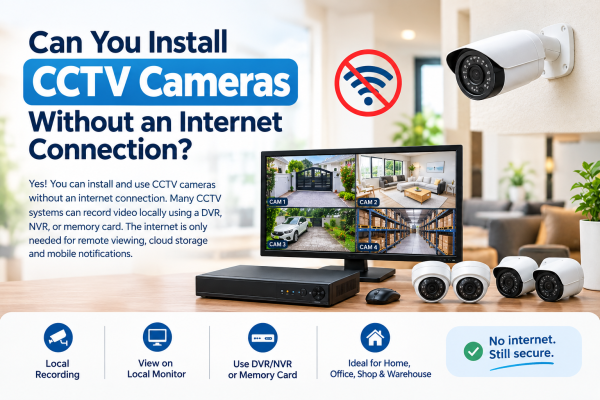
CCTV cameras are widely used to protect homes, offices, shops, warehouses, and commercial properties. However, many people wonder whether a CCTV camera system can work without Wi-Fi or an internet connection.
The answer is yes! You can install and operate CCTV cameras without an internet connection. Many CCTV systems can record video locally using a DVR, NVR, or memory card. An internet connection is generally needed for remote monitoring, cloud storage, and certain mobile notifications.
In this blog, we will explain how CCTV cameras work without the internet. We will cover which systems work offline. We will also review their benefits and limits. Finally, we will help you choose the right CCTV setup for your property.
1. How Do CCTV Cameras Work Without Internet?
CCTV cameras capture video and transmit it to a recording device or storage medium. Depending on the camera type, footage can be stored in different places. It can be stored on a DVR (Digital Video Recorder). It can be stored on an NVR (Network Video Recorder). It can also be stored on a supported memory card.
For example, a wired CCTV system in a home or shop can record footage all the time, without internet. You can connect a monitor to the DVR or NVR to watch live video and review recorded footage locally.
The internet is mainly needed for a few things.
It lets you view your cameras remotely on your smartphone.
It also lets you use cloud storage.
It can send you notifications online.
2. Types of CCTV Cameras That Work Without Internet
A. Wired CCTV Cameras
Wired CCTV cameras are a popular choice for properties that need continuous local recording. Analog HD cameras connect to a compatible DVR using coaxial cables. IP cameras connect to a compatible NVR using Ethernet.
Benefits of wired CCTV cameras:
-
Record footage locally without internet access.
-
Provide stable video transmission when correctly installed.
-
Suitable for homes, offices, shops, and warehouses.
-
Allow local playback through a connected recorder and monitor.
B. IP CCTV Cameras
IP CCTV cameras can operate without internet access when configured to work on a local network. They can transmit video to a compatible NVR or computer without sending footage over the internet.
However, some models require an internet connection for initial activation, firmware updates, or cloud-based features. Always check the manufacturer's specifications before purchasing.
C. Wi-Fi CCTV Cameras
Wi-Fi CCTV cameras do not always require internet access, but their offline capabilities depend on the model.
Some cameras can connect to a local Wi-Fi network and record footage to local storage. Others rely on cloud services and may lose certain functions when disconnected from the internet.
Before buying a Wi-Fi CCTV camera, confirm whether it supports offline recording and local access.
D. CCTV Cameras With Memory Cards
Some CCTV cameras support microSD card recording. This lets them save footage to the card without internet access.
These cameras work well in small rooms, entrances, shops, or places that do not need a full DVR or NVR system. The recording duration depends on the memory card capacity, video quality, and recording settings.
3. Which CCTV Features Work Without Internet?
Not every CCTV feature requires an internet connection. The availability of individual functions depends on the camera model and system configuration.
|
CCTV feature |
Works without internet? |
|
Live viewing on a locally connected monitor |
Yes |
|
Recording to a DVR or NVR |
Yes |
|
Playback of locally stored footage |
Yes |
|
Recording to a supported memory card |
Yes |
|
Remote viewing from outside the property |
Generally no |
|
Cloud video storage |
Generally no |
|
Internet-based mobile notifications |
Generally no |
|
Local network viewing |
Yes, if supported |
Important: CCTV cameras still need the required power supply, compatible cables or network connections, storage, and correct configuration. An offline CCTV system does not automatically work during a power failure.
4. Benefits of Installing CCTV Cameras Without Internet
Reliable Local Recording
A properly configured CCTV system can continue recording even when your internet connection is unavailable. This is especially useful in areas where broadband connectivity is unreliable.
Reduced Dependence on Online Services
Local recording lets you save footage on your own device or memory card.
It does not rely only on cloud services.
Suitable for Remote Locations
Farms, warehouses, construction sites, storage facilities, and other sites without broadband can use offline CCTV systems for local surveillance.
Potentially Lower Running Costs
An offline CCTV setup may help avoid recurring cloud-storage subscription fees. However, equipment, installation, electricity, and maintenance costs still apply.
Easy Local Playback
You can review recorded footage on a connected monitor or supported local device. You do not need to send video over the internet.
5. Limitations of CCTV Cameras Without Internet
Although offline CCTV systems offer several advantages, there are a few limitations to consider.
-
No remote monitoring: You generally cannot view cameras from another location through the internet.
-
Limited online alerts: Notifications that depend on internet connectivity or cloud services may not work.
-
No automatic cloud backup: Video saved only on a local drive or memory card may be lost.
-
This can happen if the device is damaged or stolen.
-
Power dependency: Most CCTV cameras and recorders need electricity to operate.
-
Setup requirements: Some IP and Wi-Fi cameras require specific network settings or an initial online setup.
To improve reliability, use a UPS or backup power supply. Secure the recorder in a protected location. Check that the system records correctly.
6. How to Install CCTV Cameras Without an Internet Connection
Follow these basic steps to set up an offline CCTV system.
Step 1: Choose the right CCTV cameras
Select wired analog HD cameras, compatible IP cameras, or standalone cameras with local storage based on your security needs.
Step 2: Select a compatible DVR or NVR
Choose a recorder with enough camera channels and sufficient hard drive capacity for your desired recording period.
Step 3: Connect the cameras
Connect analog cameras to the DVR using compatible coaxial cables. Connect IP cameras to a compatible NVR or local network using supported Ethernet connections.
Step 4: Connect a monitor
Connect a monitor to the DVR or NVR using a supported HDMI or VGA connection. This allows you to view live footage and access recordings locally.
Step 5: Configure the recording settings
Set the date and time, recording schedule, video quality, motion detection, and storage overwrite options. Follow the manufacturer's instructions for any required initial configuration.
Step 6: Test the system
Disconnect the internet connection while keeping the equipment powered on. Check that live viewing, recording, and playback continue to work as expected.
7. Is Wired CCTV Better Than Wireless CCTV Without Internet?
For many properties, you may need to record video on-site all the time.
In that case, a wired CCTV system is a practical choice.
Use a DVR or NVR that works with it. It can provide stable video transmission without depending on Wi-Fi or internet access.
Wireless CCTV cameras may be easier to install, but their offline functionality varies by model. Some support local recording, while others rely on cloud connectivity for important features.
Before you choose a system, think about your property size, install needs, storage space, budget, and remote access.
8. Can You View CCTV Footage on Your Mobile Without Internet?
You generally cannot view your CCTV cameras remotely through the internet if your CCTV system has no internet connection.
However, some systems let you view video on a smartphone or computer.
Both devices must be on the same local Wi-Fi network.
This can work even if the network has no internet access. This requires compatible equipment and correct local network configuration.
If you want to monitor your home or business while traveling, choose a CCTV system with remote access. Provide it with a reliable internet connection.
Conclusion
Yes, CCTV cameras can be installed and used without an internet connection. Wired cameras connected to a DVR can store footage locally.
IP cameras connected to a local NVR can store footage locally.
Supported memory-card cameras can also store footage locally.
They can do this without continuous internet access.
An offline CCTV system is a good choice for homes, shops, offices, warehouses, and remote sites. Local recording is the main priority. If you also need remote smartphone viewing, cloud backup, or online alerts, choose a system that supports them. Provide the needed internet connection.
Before purchasing a CCTV camera system, check its offline recording capabilities, storage options, compatibility, and power requirements to ensure it meets your security needs.
Contact us today to find the perfect CCTV solution for your property.