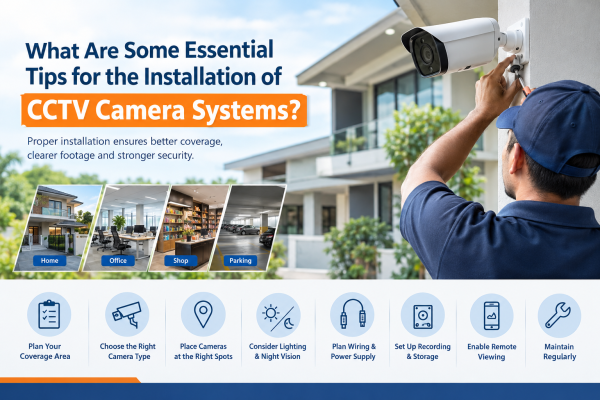
Installing a CCTV camera system is one of the best ways to improve security. It works well for homes, offices, shops, warehouses, and other commercial properties. A properly installed CCTV system helps monitor activities. It records important events, discourages intruders, and provides useful footage after an incident.
However, simply purchasing high-quality CCTV cameras is not enough. Camera placement, image quality, lighting, storage capacity, wiring, and network security all affect how well a surveillance system works.
Whether you plan to install CCTV cameras at home or upgrade your business security, these essential tips will help.
They will help you make an informed decision.
1. Identify Your Security Requirements Before Installation
Before purchasing CCTV cameras, identify the areas that need monitoring and the purpose of the installation. A residential property may need cameras at the main entrance, parking area, balcony, and backyard. An office or retail shop may need coverage for entrances, reception areas, cash counters, and storage rooms. balcony, and backyard, while an office or retail shop may need coverage of entrances, reception areas, cash counters, and storage rooms.
Create a basic surveillance plan that includes:
-
Main entry and exit points
-
Areas with limited visibility
-
Parking spaces and outdoor boundaries
-
Important equipment or inventory
-
Locations requiring indoor monitoring
Planning in advance helps you choose the right number of cameras and avoid unnecessary blind spots.
2. Choose the Right Type of CCTV Camera
Different CCTV cameras are designed for different environments. Selecting the right type ensures better monitoring and recording performance.
Common CCTV camera options include:
-
Dome cameras: Suitable for indoor spaces such as homes, offices, shops, and reception areas.
-
Bullet cameras: Commonly used for outdoor monitoring, entrances, parking areas, and building boundaries.
-
IP cameras: Transmit video over a network and can support remote viewing and advanced features.
-
Wi-Fi cameras: Suitable for locations where wireless connectivity is practical and reliable.
-
PTZ cameras: Allow users to pan, tilt, and zoom to monitor larger areas.
-
Audio-enabled cameras: Capture sound where the feature is supported and its use is appropriate.
Consider resolution, viewing angle, night vision, weather resistance, and compatibility with your recording equipment before making a purchase.
3. Install Cameras at the Right Locations
Camera placement is one of the most important factors affecting CCTV performance. Even a high-resolution camera may produce unhelpful footage if it is installed at the wrong angle.
Install cameras where they have a clear view of important areas, such as doors, gates, corridors, and parking spaces. Avoid positioning them behind trees, curtains, signs, shelves, or other objects that could obstruct the view.
For identifying people, make sure the camera captures a clear view of their faces.
Avoid showing only the tops of their heads. A wide-angle camera can monitor a large area. You may need more cameras when clear identification is important.
Mount cameras securely and at a suitable height to reduce tampering while maintaining useful image detail.
4. Consider Lighting and Night Vision
Lighting conditions can significantly affect recorded video quality, especially at night or in areas with strong sunlight.
When installing outdoor CCTV cameras, check how sunlight, vehicle headlights, streetlights, and nearby lighting fixtures affect the image. Avoid pointing cameras directly toward strong light sources whenever possible.
For nighttime surveillance, consider cameras with infrared night vision or colour night vision. Some cameras perform better with additional lighting, while others use built-in illumination.
Before you finish the installation, test the camera in daytime and nighttime conditions. Make sure important areas stay visible.
5. Select the Right Resolution and Viewing Angle
Camera resolution determines how much image detail a system can capture. Common options include 2MP Full HD, 4MP, and higher-resolution models.
A 2MP camera may work well for basic monitoring in a small home or shop. Higher resolutions may help at entrances, in larger areas, or where more detail is needed.
However, resolution alone does not guarantee clear footage. Lens selection, lighting, camera positioning, compression, and recording settings also influence the final image.
Choose a viewing angle that matches the area you want to monitor. A wider angle covers more space, whereas a narrower angle may provide more detail on a specific location.
6. Plan CCTV Wiring and Power Supply Carefully
For wired CCTV systems, plan cable routes before drilling holes or mounting cameras. Keep cables protected from physical damage, moisture, and accidental disconnection.
Use compatible cables and connectors recommended for your equipment. Poor-quality connections, damaged cables, and unstable power supplies can cause video interruptions, noise, or camera failures.
For IP cameras, verify that the network infrastructure and Power over Ethernet (PoE) equipment support the cameras' requirements. For analogue cameras, check compatibility between the cameras, DVR, power supply, and transmission cables.
A professional installer can help ensure that the cabling is organised, secure, and suitable for the installation environment.
7. Choose Suitable Recording and Storage Capacity
A CCTV system is useful only when it records and retains footage according to your security needs.
Recording storage depends on several factors, including:
-
Number of connected cameras
-
Camera resolution and frame rate
-
Video compression settings
-
Continuous or motion-based recording
-
Desired retention period
A DVR or NVR with an appropriately sized surveillance hard drive can support reliable recording. Before installation, estimate how many days of footage you need to retain and select storage accordingly.
After installation, confirm recording is enabled. Check the system date and time. Make sure old footage is overwritten based on your settings.
8. Set Up Remote Viewing and Network Security
Many modern CCTV systems allow users to view live footage and recordings through a smartphone or computer. Remote monitoring can be helpful when you are away from home or managing a business from another location.
To configure remote access effectively:
-
Use the manufacturer's official application and follow its setup instructions.
-
Create a strong, unique password for the camera system.
-
Change default credentials where applicable.
-
Keep camera firmware and associated applications updated.
-
Enable two-factor authentication if supported.
-
Limit access to trusted users and remove accounts that are no longer needed.
Use a secure network and avoid exposing camera interfaces directly to the internet without appropriate security controls.
Remember that remote viewing and local recording are different functions. Some CCTV systems can record locally without an internet connection. However, remote access from outside the property usually needs internet access. It may also need another suitable network setup.
9. Protect Privacy During Installation
CCTV cameras should be positioned to monitor legitimate security areas while minimising unnecessary recording of other people or private spaces.
Avoid directing cameras into neighbours' windows, private rooms, or other areas unrelated to your security requirements. In offices, shops, and shared premises, consider the privacy of employees, customers, visitors, and residents.
Audio recording may create additional privacy concerns. Enable it only when appropriate and after considering applicable requirements.
Follow relevant Indian laws, building or society rules, and any applicable privacy or data-protection obligations. Where appropriate, display clear CCTV notices and inform people about the purpose of monitoring.
10. Test Every Camera After Installation
Once the cameras are mounted and connected, test the entire system rather than assuming everything is working correctly.
Check the following:
-
Live video from every camera
-
Recorded footage and playback
-
Daytime and nighttime image quality
-
Motion detection and notifications, if enabled
-
Remote viewing from an authorised device
-
Recording continuity and storage status
-
Camera angles and potential blind spots
-
Power supply and network connectivity
Walk through the monitored areas to confirm that important entrances and movement paths are captured properly. Adjust camera angles or recording settings where necessary.
Testing before completing the installation helps identify issues while they are still easy to correct.
11. Schedule Regular CCTV Maintenance
CCTV cameras require occasional maintenance to remain effective. Dust, rain, insects, cobwebs, loose connectors, and growing vegetation can affect image quality or block the field of view.
A simple maintenance routine should include:
-
Cleaning camera lenses carefully
-
Checking cables, connectors, and mounting brackets
-
Reviewing recorded footage periodically
-
Checking hard-drive health and available storage
-
Updating firmware when appropriate
-
Verifying remote access and notification settings
-
Reviewing camera angles and coverage
Regular checks help identify problems before they result in missed recordings or security gaps.
12. Consider Professional CCTV Installation
Although some CCTV kits are made for DIY setup, a pro can still help.
This is useful for large properties, multi-camera systems, and commercial buildings.
It also helps when the job needs complex cabling or networking.
An experienced installer can assess the property, recommend suitable cameras, calculate storage requirements, organise wiring, configure recording settings, and test the complete system.
When choosing an installer, ask about product compatibility, warranty coverage, recording setup, remote access, maintenance support, and the expected coverage of each camera.
Common CCTV Installation Mistakes to Avoid
Avoid these common mistakes when planning your surveillance system:
-
Installing cameras without first assessing the property.
-
Leaving important entrances or corners uncovered.
-
Choosing cameras based on resolution alone.
-
Ignoring lighting conditions and nighttime performance.
-
Using insufficient recording storage.
-
Leaving default passwords unchanged.
-
Failing to test playback after installation.
-
Neglecting maintenance and firmware updates.
-
Recording areas that unnecessarily compromise privacy.
Avoiding these mistakes can improve the reliability and usefulness of your CCTV system.
Conclusion
A successful CCTV camera installation requires more than mounting cameras on walls. Proper planning, suitable camera selection, strategic placement, effective lighting, reliable wiring, adequate storage, secure remote access, and regular maintenance all contribute to better surveillance.
Whether you need CCTV for a home, office, shop, or commercial property, the right system can improve visibility.
Proper setup can support incident investigations and strengthen your overall security plan.
If you are planning a CCTV installation, first assess your property's needs. Consider professional guidance to help select a system. Choose one that fits your budget and security goals.
Looking for CCTV camera solutions in Ghaziabad, Indirapuram, Noida, or Delhi NCR?
GR CCTV Solutions can help.
We can help you choose the right surveillance system for your home or business.
Frequently Asked Questions (FAQs)
1. Where should CCTV cameras be installed at home?
Common locations include the main entrance, front gate, driveway, parking area, backyard, and other important access points. The exact placement depends on the property's layout and security requirements.
2. How many CCTV cameras are needed for a house?
The number depends on the size of the property, the number of entrances, and the areas that need monitoring. A small home may need fewer cameras than a large independent house with multiple floors and outdoor spaces.
3. Can CCTV cameras work without the internet?
Yes. Many wired CCTV systems can record footage locally through a DVR or NVR without an internet connection. However, remote viewing from outside the property usually requires internet access.
4. Which CCTV camera resolution is best?
The best resolution depends on the area being monitored and the level of detail required. Full HD 2MP cameras may suit general monitoring. 4MP or higher-resolution cameras can provide more detail when the lens, lighting, and recording settings are suitable.
5. How often should CCTV cameras be maintained?
Check your system regularly and clean lenses whenever needed. Review recording status, storage health, cables, network connectivity, and firmware on a regular basis.
Add extra checks after severe weather or other events that could affect the equipment.
Contact us today to find the perfect CCTV solution for your property.