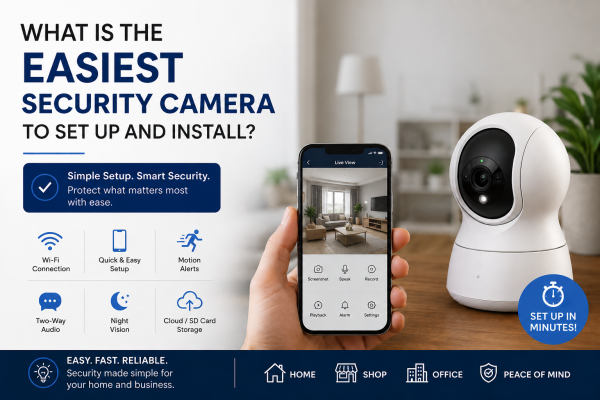
Home and business security has become easier than ever thanks to modern wireless technology. Gone are the days when installing a security camera meant running long cables through walls. You no longer need to hire a professional technician. Today, many security cameras can be set up in a few minutes. You can use a smartphone app and a Wi‑Fi connection.
But with so many options available, which security camera is the easiest to set up and install?
The Easiest Security Cameras: Wi-Fi Cameras
For most homeowners and small business owners, Wi-Fi security cameras are the easiest option. These cameras connect directly to your wireless network and can be monitored through a mobile app.
Unlike traditional CCTV systems, Wi-Fi cameras typically do not require a DVR, complex wiring, or technical expertise.
Why Wi-Fi Cameras Are Easy to Install
-
No video cables required
-
Quick mobile app setup
-
Remote viewing from anywhere
-
Easy camera placement
-
Instant motion alerts
-
Suitable for renters and homeowners
Most Wi-Fi cameras can be installed in less than 15 minutes.
Features to Look For
When choosing an easy-to-install security camera, consider these features:
Wireless Connectivity
A camera that connects directly to Wi-Fi eliminates the need for extensive wiring.
Mobile App Support
Look for cameras with user-friendly apps that guide you through the setup process.
Motion Detection
Receive alerts whenever movement is detected around your property.
Two-Way Audio
Speak to visitors, delivery personnel, or family members through the camera.
Night Vision
Ensure clear footage even in low-light conditions.
Cloud or SD Card Storage
Choose a camera that offers convenient recording and playback options.
Basic Installation Steps
Setting up a Wi-Fi security camera is usually straightforward:
Step 1: Choose the Installation Location
Select an area with a strong Wi-Fi signal and a clear view of the space you want to monitor.
Step 2: Power the Camera
Plug the camera into a power source or insert a charged battery if it's a battery-powered model.
Step 3: Download the Mobile App
Install the camera manufacturer's app on your smartphone.
Step 4: Connect to Wi-Fi
Follow the app instructions to connect the camera to your home or office network.
Step 5: Complete Setup
Name the camera, adjust settings, and start viewing live footage.
Are Wi-Fi Cameras Better Than Traditional CCTV Systems?
Wi-Fi cameras are ideal for users who want a simple installation and basic monitoring features. However, traditional CCTV systems with DVRs or NVRs are often better for larger properties. They suit businesses, warehouses, and sites that need continuous recording.
Wi-Fi Cameras Are Best For:
-
Apartments
-
Small homes
-
Small offices
-
Rental properties
-
Temporary monitoring
Traditional CCTV Systems Are Best For:
-
Large homes
-
Shops and retail stores
-
Warehouses
-
Commercial buildings
-
Multi-camera installations
Popular Easy-to-Install Camera Types
Indoor Wi-Fi Cameras
Perfect for monitoring living rooms, hallways, offices, and indoor spaces.
Outdoor Wi-Fi Cameras
Designed to withstand weather conditions while providing reliable surveillance.
Battery-Powered Cameras
Require no power cables and can be mounted almost anywhere.
Smart Doorbell Cameras
Provide video monitoring and visitor communication through your smartphone.
Final Thoughts
If you're looking for the easiest security camera to set up and install, a Wi-Fi security camera is usually the best choice. With simple mobile app configuration, wireless connectivity, and remote viewing capabilities, these cameras provide effective security without the complexity of traditional installations.
For users who need comprehensive coverage, long-term recording, or multiple cameras, a professionally installed CCTV system may still be the better investment. The right choice ultimately depends on your property's size, security needs, and budget.
Need help choosing the right security camera for your home or business? Contact GR CCTV Solutions for expert guidance and professional CCTV solutions tailored to your requirements.